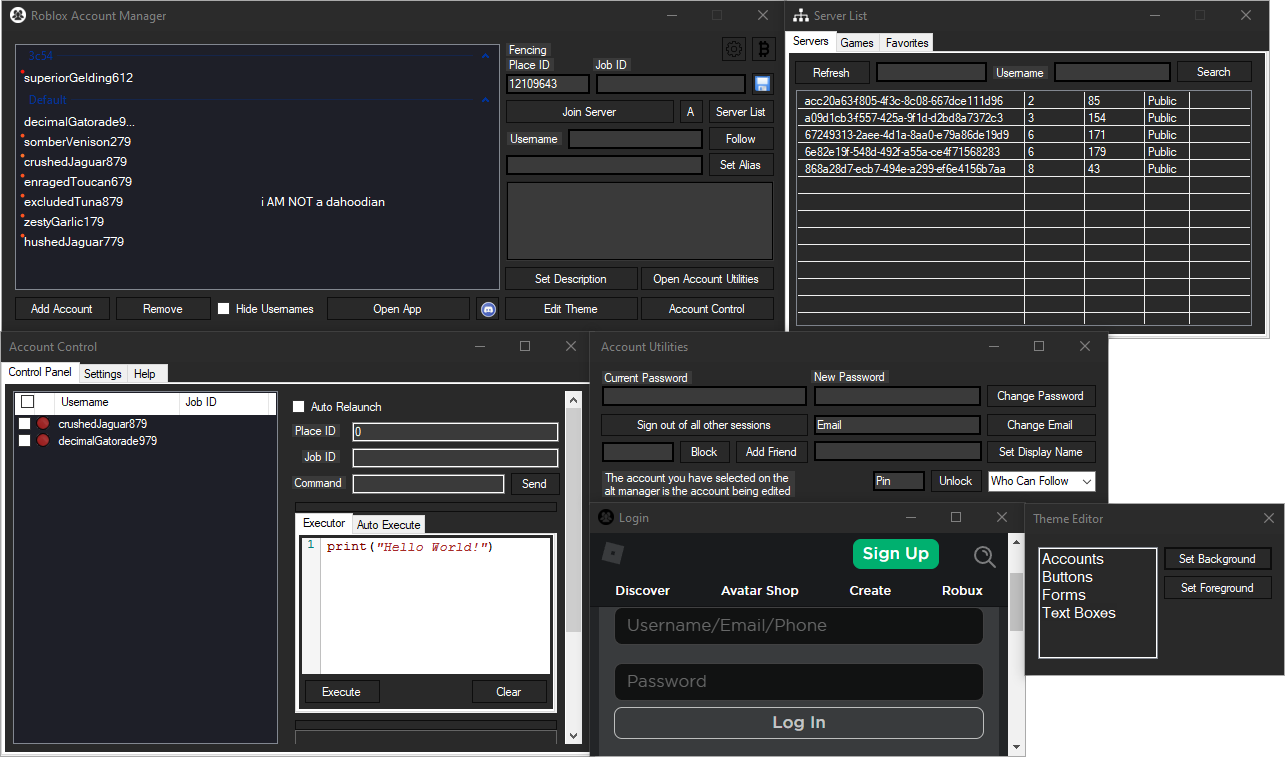
Take control of all your Roblox accounts from one powerful dashboard. Switch instantly, organize efficiently, and play securely.
A feature-rich, open-source solution trusted by thousands of Roblox players worldwide for seamless multi-account management.
Roblox Account Manager Pro is a cutting-edge Windows application designed specifically for players who manage multiple Roblox accounts. Whether you're a trader with storage accounts, a developer testing features, or a player with different accounts for different games, this tool streamlines everything into one intuitive interface.
Built with security and convenience in mind, every account credential is encrypted locally on your machine using military-grade encryption. Your data never leaves your computer, ensuring complete privacy and control over your gaming profiles.
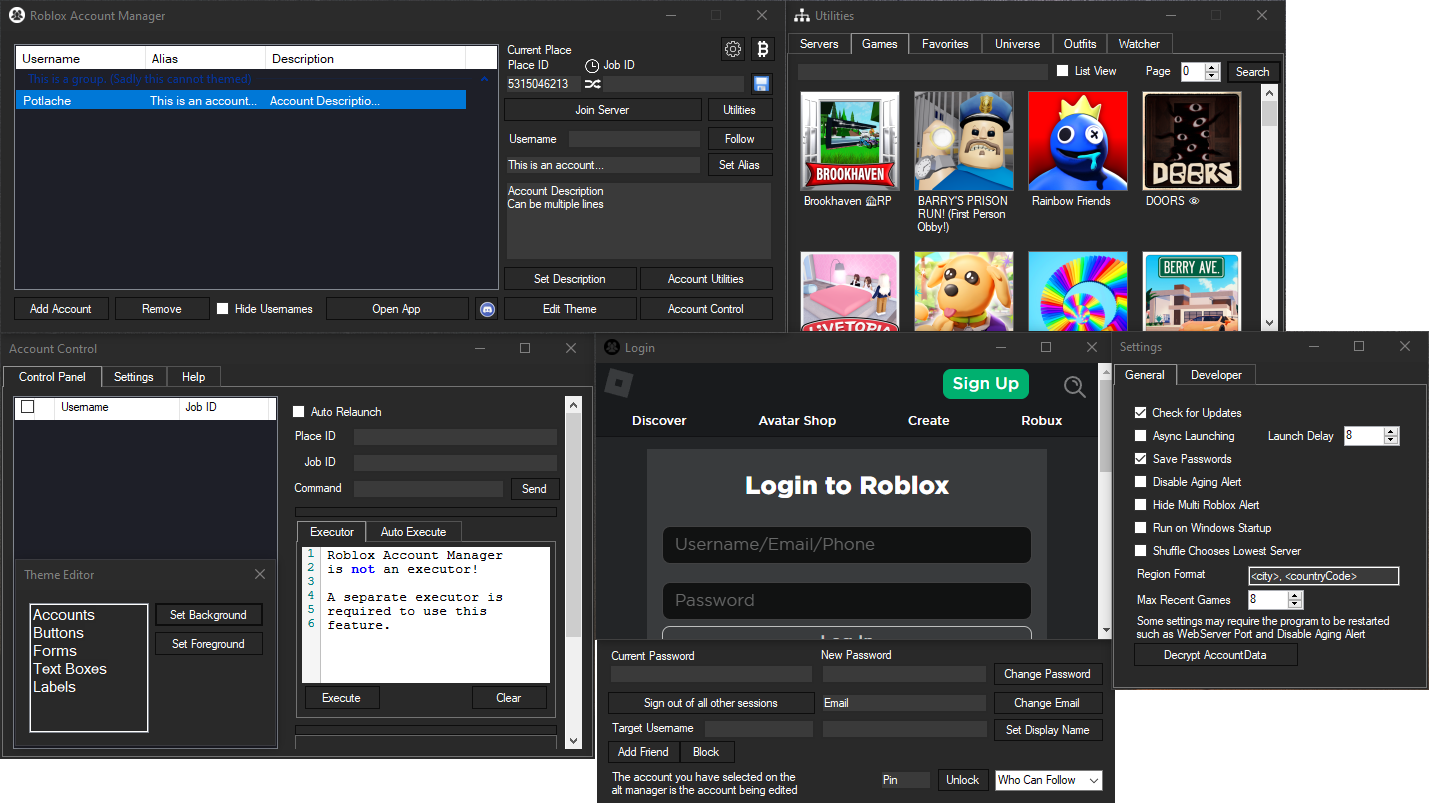
Everything you need to manage your Roblox accounts professionally
Your account credentials are protected with advanced local encryption using your computer's unique hardware signature as the encryption key, making your data virtually impossible to decrypt elsewhere.
No more logging in and out repeatedly. Select any account and launch it instantly. Perfect for players who frequently switch between accounts for different purposes.
Run multiple Roblox clients simultaneously with built-in multi-instance support. Play on different accounts at the same time for maximum efficiency.
Create custom groups to organize your accounts by purpose. Drag and drop to rearrange. Add notes and aliases to each account for easy identification.
View detailed information about game servers including player counts, server regions, ping rates, and more. Join the perfect server every time.
Personalize the interface with custom themes and color schemes. Adjust layouts, enable dark mode, and make it truly yours.
Never worry about expired sessions. The application automatically maintains and refreshes your authentication cookies to keep accounts logged in and ready.
Access powerful tools to manage account settings including password changes, email updates, privacy configurations, and follow settings - all from one place.
Advanced users can leverage the built-in web API to integrate features into custom scripts and automation workflows.
This tool integrates directly with Roblox's official APIs, ensuring compatibility and reliability. All your account data is stored locally with encryption enabled by default. You maintain complete control over your information.
The application supports password-based encryption for users who want to back up their account data to cloud storage services, providing flexibility while maintaining security.
Download Now - It's FreeManage storage accounts for valuable items and limited editions. Keep your trading accounts separate from your main profile for better organization and security.
Test your games with multiple accounts simultaneously. Check different permission levels, test multiplayer features, and ensure everything works perfectly.
Record gameplay from multiple perspectives at once. Create engaging content that showcases different gameplay angles and account interactions.
Maintain separate accounts for different skill levels or game modes. Practice on alt accounts while preserving your main account's stats and rankings.
Absolutely. Roblox Account Manager Pro is completely open-source, meaning anyone can review the code to verify its safety. The application doesn't modify Roblox files or use any exploits. It simply provides a convenient interface for managing your accounts using Roblox's official APIs. Thousands of players trust it daily.
No. Roblox Account Manager Pro doesn't violate Roblox's Terms of Service. It doesn't modify game files, inject code, or provide unfair advantages. However, some individual games may have rules against using alternate accounts, so always check game-specific policies.
Click the settings icon (gear) in the top-right corner, navigate to the General tab, and check the "Multi Roblox" option. Make sure all Roblox processes are closed first. Note: This feature is disabled by default as recommended by Roblox's security team.
This is a false positive. Open-source applications sometimes trigger antivirus software because they use similar programming libraries as malware. The application is completely safe. You can verify the source code yourself or add an exclusion for the application folder.
Currently, this tool only supports Windows operating systems (Windows 7 and later). Mac and mobile versions are not available at this time, though future updates may expand platform support.
Enable password-based encryption in the settings. This allows you to safely store your AccountData.json file in cloud storage like Google Drive or Dropbox. With password encryption, your data can be restored on different computers while remaining secure.
Join thousands of players who have simplified their Roblox experience
⚡ Download Free Now